

Transform Your Audio Recordings into Actionable Knowledge with Obsidian

The Problem: Audio is Great for Capturing, Terrible for Searching
We’ve all been there. You record a meeting, an interview, or a lecture, thinking “I’ll listen to this later and take notes.” But later never comes. Or worse, it does come, and you spend hours scrubbing through audio trying to find that one important point someone made.
Audio recordings are fantastic for capturing information in the moment, but they’re terrible for:
- Searching: Try finding a specific topic in a 2-hour recording
- Reviewing: Listening at 1x speed is painfully slow
- Sharing: “Jump to minute 47:32” isn’t exactly user-friendly
- Processing: Your brain can’t skim audio like it can text
What if you could automatically convert those audio files into searchable, structured notes with AI-powered insights?
Introducing Audio Transcription for Obsidian
I’m excited to share my new Obsidian plugin that bridges the gap between audio and text-based knowledge management. The Audio Transcription plugin automatically transcribes your audio recordings and extracts actionable insights—all within your Obsidian vault.
🔗 Obsidian Plugin Download Link
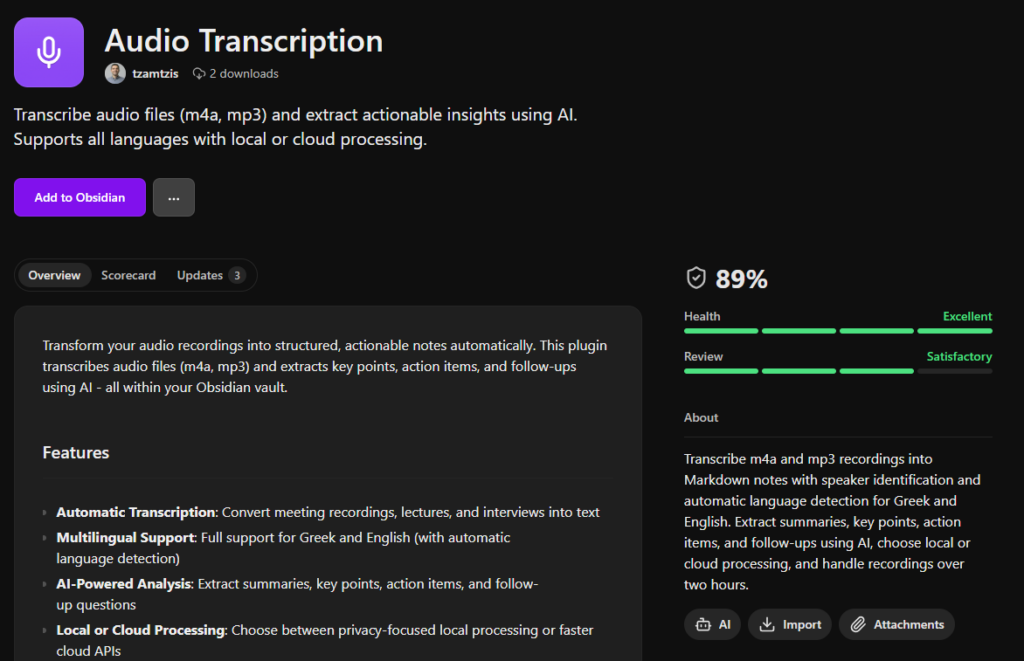
What Makes This Different?
1. Privacy-First Local Processing
Unlike other transcription services, you can process everything locally on your machine using Whisper.cpp. Your audio never leaves your computer. No subscriptions, no per-minute costs, and complete privacy.
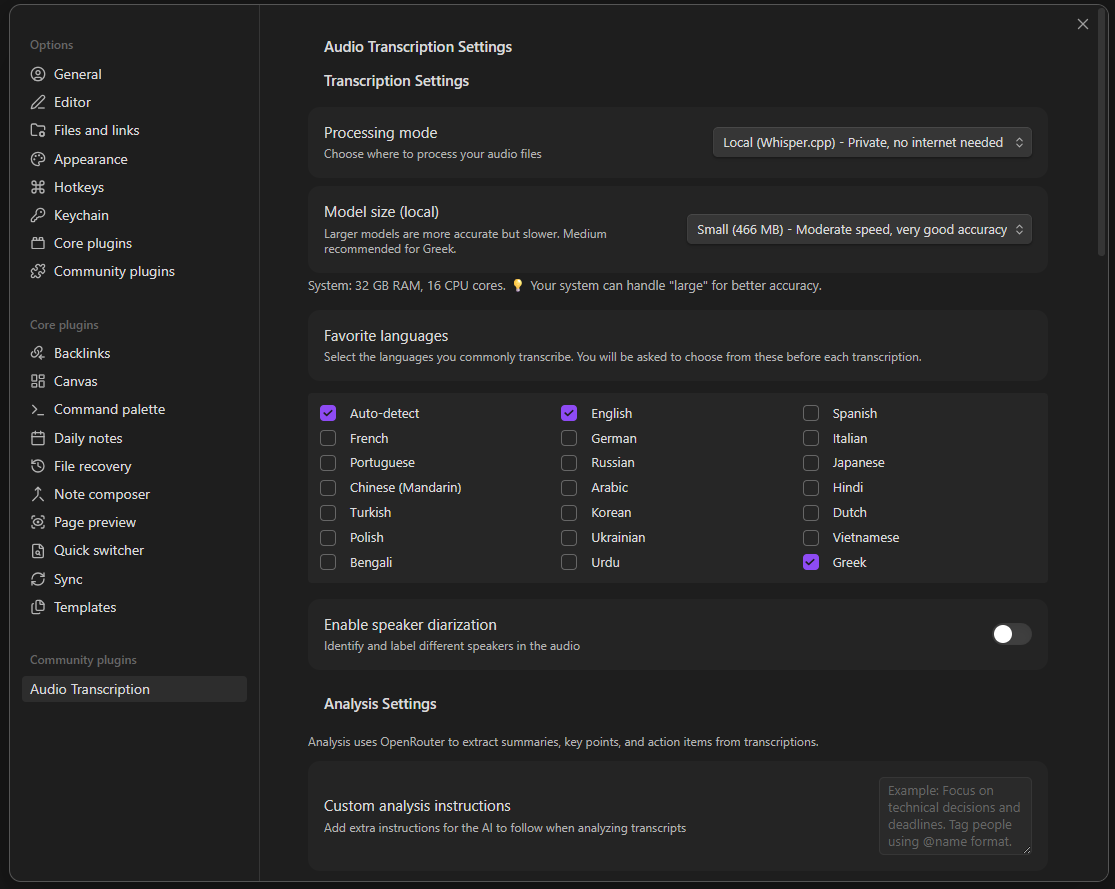
Choose between local processing (private, offline) or cloud APIs (faster)
2. True Multilingual Support
Built for all languages, the plugin handles:
- Automatic language detection
- Code-switching (mixing languages in the same recording)
- Multiple speakers in different languages
3. AI-Powered Insights, Not Just Transcription
Raw transcripts are useful, but the plugin goes further by using AI to extract:
- Executive Summary: Get the gist in 2-3 sentences
- Key Points: Main topics discussed with bullet points
- Action Items: Automatically identified tasks and next steps
- Follow-up Questions: Unresolved topics that need attention
- Custom Analysis: Add your own instructions for domain-specific insights
4. Seamless Obsidian Integration
This isn’t just a transcription tool bolted onto Obsidian. It’s designed specifically for knowledge workers who use Obsidian:
- Results are saved as markdown files in your vault
- Automatic frontmatter with metadata (date, language, duration)
- Audio file embedding for reference playback
- Optional timestamps for navigation
- Tags and links work as expected
How It Works
The workflow is incredibly simple:
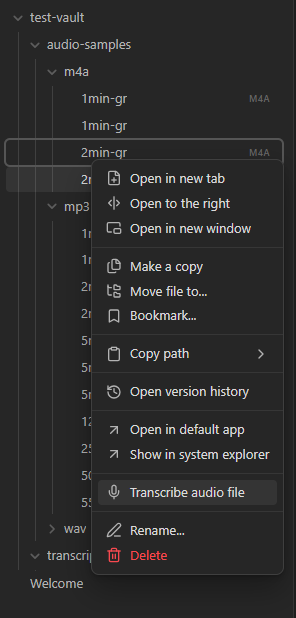
Step 1: Start a Transcription
Right-click any audio file (m4a or mp3) in your vault and select “Transcribe audio file”:
Step 2: Configure (or Use Defaults)
Choose your preferences—or just hit “Start Transcription” with the defaults:
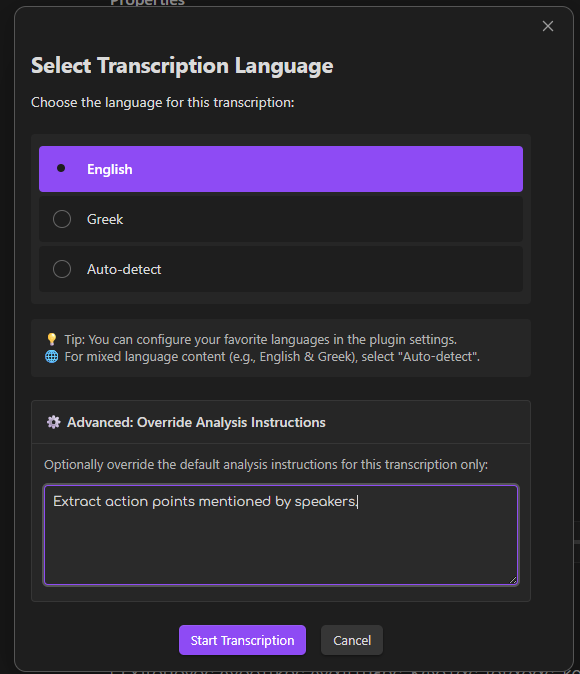
Configure processing mode, language, and custom analysis instructions
Step 3: Watch the Magic Happen
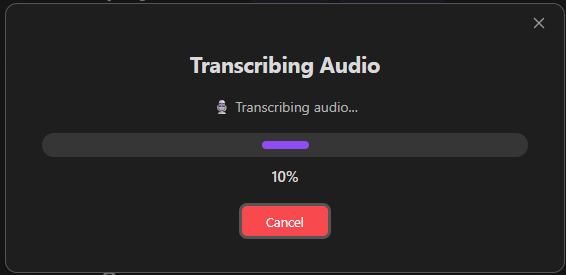
The plugin shows real-time progress as it transcribes and analyzes:
Step 4: Get Structured Results
Your transcription appears as a new markdown file with:
- Full transcript with optional timestamps
- AI-generated summary and insights
- Embedded audio player
- Rich metadata for searching and linking
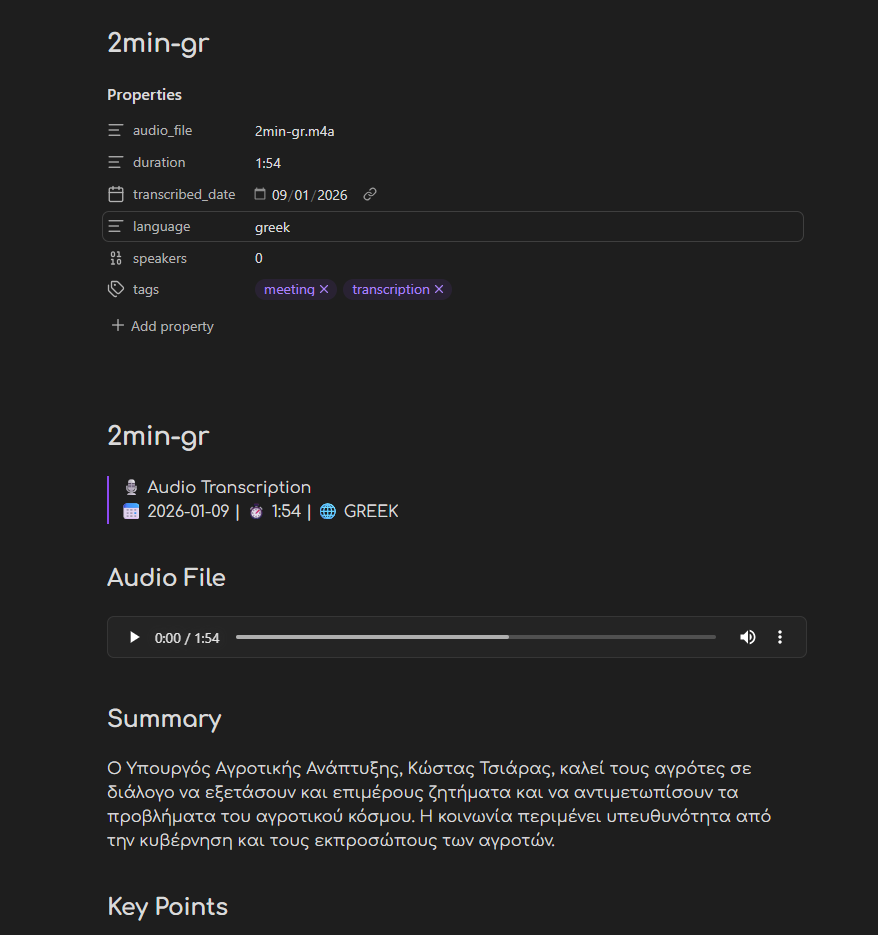
Example output showing structured insights from a Greek audio recording
Real-World Use Cases
📊 Meeting Notes
Record your meetings and let the plugin:
- Transcribe the discussion
- Extract action items automatically
- Identify follow-up questions
- Create a searchable record
🎓 Lecture & Learning
Students can:
- Transcribe recorded lectures
- Extract key concepts automatically
- Review efficiently with summaries
- Search across all lecture notes
🎤 Interview Research
Researchers and journalists can:
- Transcribe interviews quickly
- Identify themes and patterns
- Quote accurately with timestamps
- Process hours of content efficiently
💭 Personal Voice Notes
Capture thoughts on the go:
- Record voice memos
- Convert to searchable text
- Extract tasks and ideas
- Build your second brain
Technical Features
Multiple Processing Modes
Local Processing (Whisper.cpp)
- Completely offline and private
- Uses open-source Whisper models
- One-time model download (500MB-2GB)
- Perfect for sensitive content
Cloud Processing (OpenAI)
- Faster transcription via Whisper API
- Lower system requirements
- Pay-per-use pricing
- Great for large batches
Custom Models (OpenRouter)
- Use alternative AI models
- Experiment with different providers
- Cost optimization
- Flexibility for power users
Smart Features
- Automatic Model Management: Download and cache AI models with progress tracking
- Duplicate Detection: Skip files you’ve already transcribed
- Long Audio Support: Handle recordings up to 2+ hours
- Speaker Diarization: Identify different speakers (when enabled)
- Error Recovery: Robust handling of failures with helpful messages
- Custom Prompts: Tailor the analysis to your specific needs
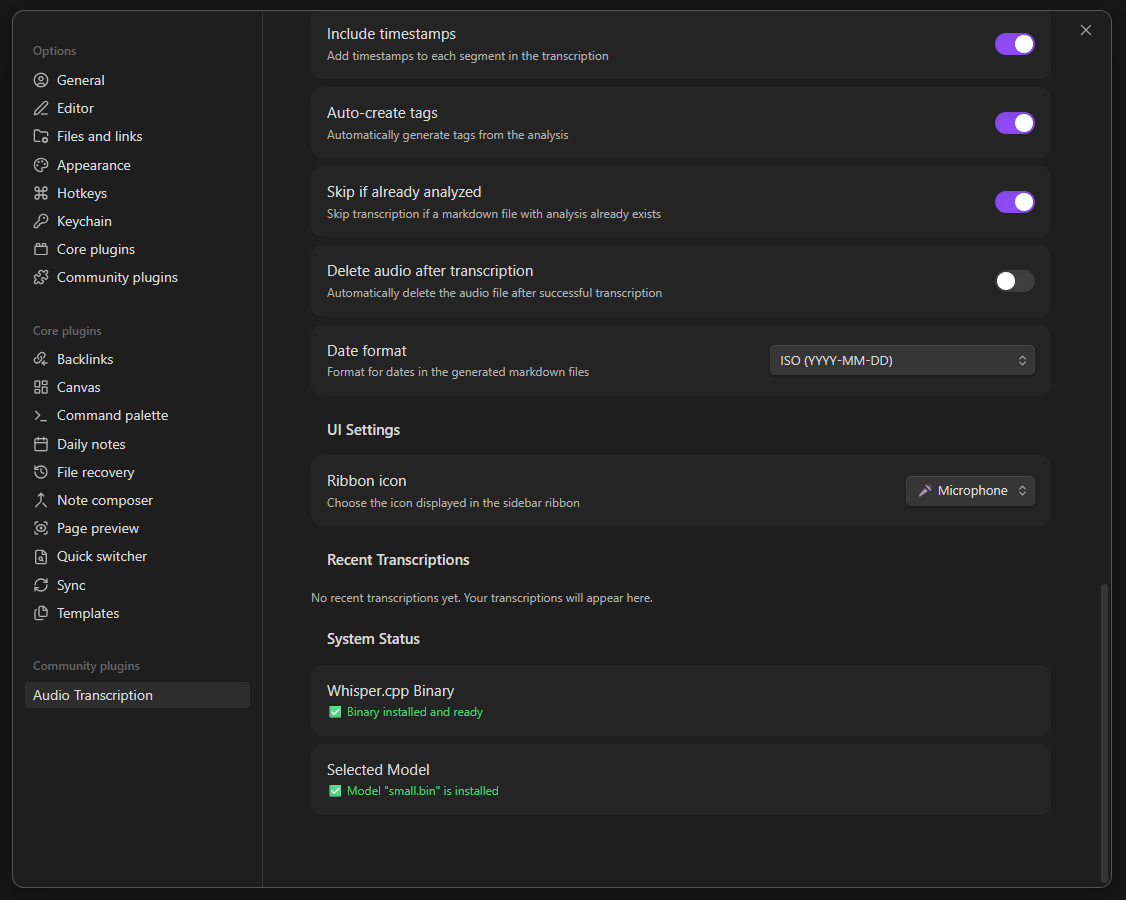
Advanced settings for power users
My Journey Building This
I built this plugin because I was frustrated with existing solutions:
- Cloud-only services raised privacy concerns for confidential meetings
- Generic transcription didn’t provide the insights I needed
- Language barriers made Greek audio difficult to process
- Poor integration meant copy-pasting between tools
As an Obsidian power user, I wanted something that fit naturally into my knowledge management workflow. After months of development and testing with real audio files, I’m thrilled to share it with the community.
Getting Started
Installation
The plugin is currently in review for the Obsidian Community Plugins directory. In the meantime, you can install it manually:
- Download the latest release
- Extract
main.jsandmanifest.jsonto.obsidian/plugins/audio-transcription/ - Enable the plugin in Obsidian settings
Once approved, it will be available directly through Obsidian’s Community Plugins browser.
Quick Start Guide
- Click the microphone icon in the ribbon (left sidebar)
- Select your audio file (m4a or mp3 format)
- Choose processing mode (local or cloud)
- Hit “Start Transcription”
- Find your note in your vault!
For local processing, the plugin will guide you through downloading the appropriate Whisper model on first use.
What’s Next?
The roadmap includes:
- macOS and Linux support (currently Windows only)
- Real-time transcription during recording
- Video file support (auto-extract audio)
- Batch processing for multiple files
- More languages beyond Greek and English
- Better speaker identification with labeling
Community feedback shapes the roadmap! If you have feature requests or find bugs, please open an issue on GitHub.
Open Source & Community
The plugin is MIT licensed and completely free to use. The code is open source, and contributions are welcome!
- GitHub: tzamtzis/obsidian-transcription-plugin
- Issues & Feature Requests: GitHub Issues
- Discussions: GitHub Discussions
If you find the plugin useful and want to support development:
Final Thoughts
Audio is a powerful medium for capturing information, but text is superior for processing, searching, and connecting ideas. This plugin bridges that gap, bringing the richness of audio into your Obsidian knowledge graph.
Whether you’re a student transcribing lectures, a professional recording meetings, a researcher conducting interviews, or a knowledge worker building a second brain—this plugin can save you hours and help you extract more value from your audio recordings.
Give it a try and let me know what you think! I’m excited to see how the Obsidian community uses it.
Made with ♥ for the Obsidian community
Transform your audio into knowledge. Start transcribing today!
